

Agency Context is run-scoped data stored on MasterContext. It lets tools and agents share structured data during a run without putting that data in messages.
Agency context lives in the
MasterContext for a run. Keep session state outside the Agency instance and pass it into each call with context_override.Understanding Agency Context
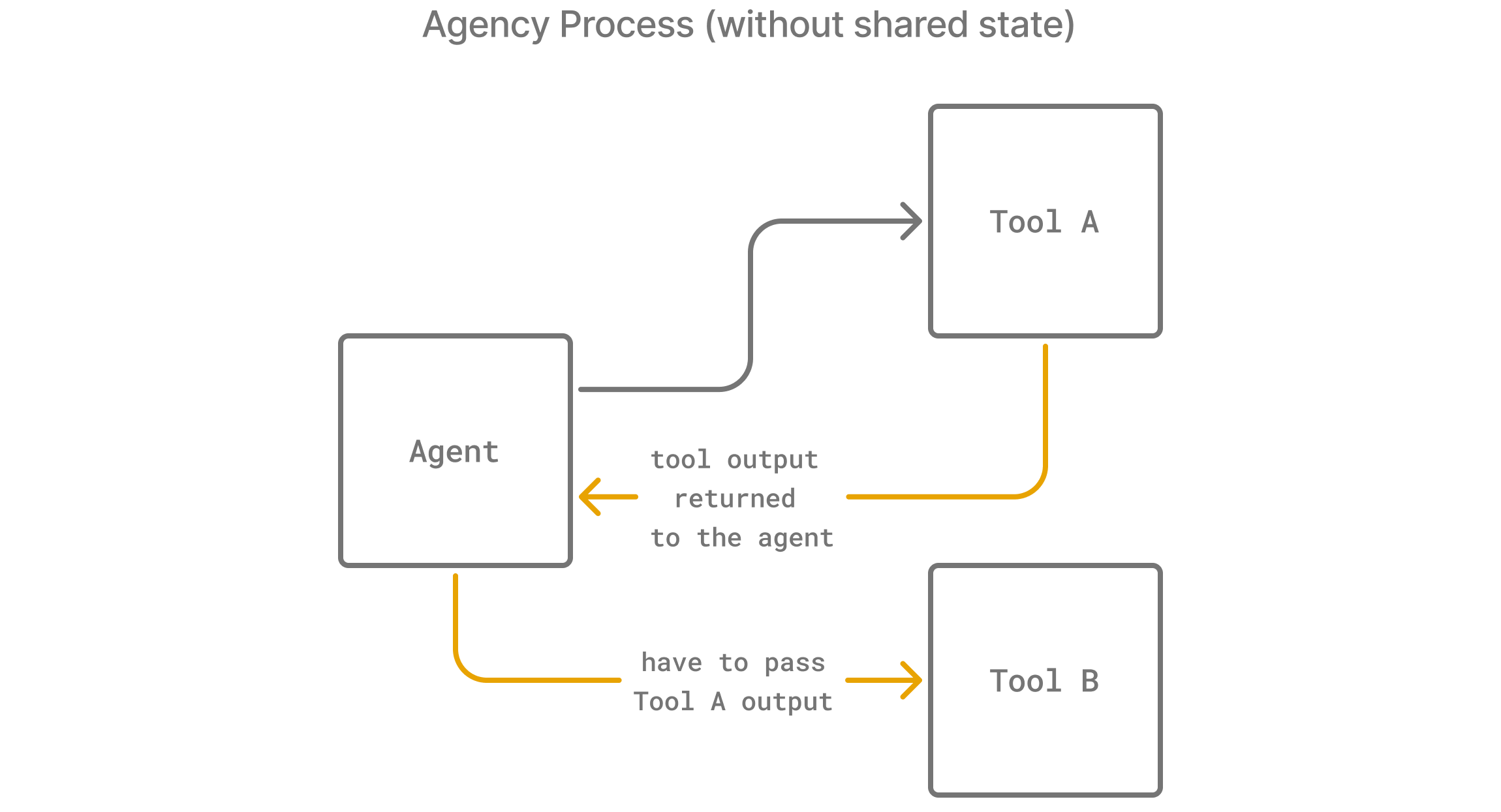
Agency context is useful when your agents interact with multiple tools that need to exchange information. Here’s why:- Without Agency Context: Suppose
Tool Acollects data thatTool Bneeds. The agent must explicitly pass this data as a parameter toTool B, consuming tokens and potentially hitting message limits.
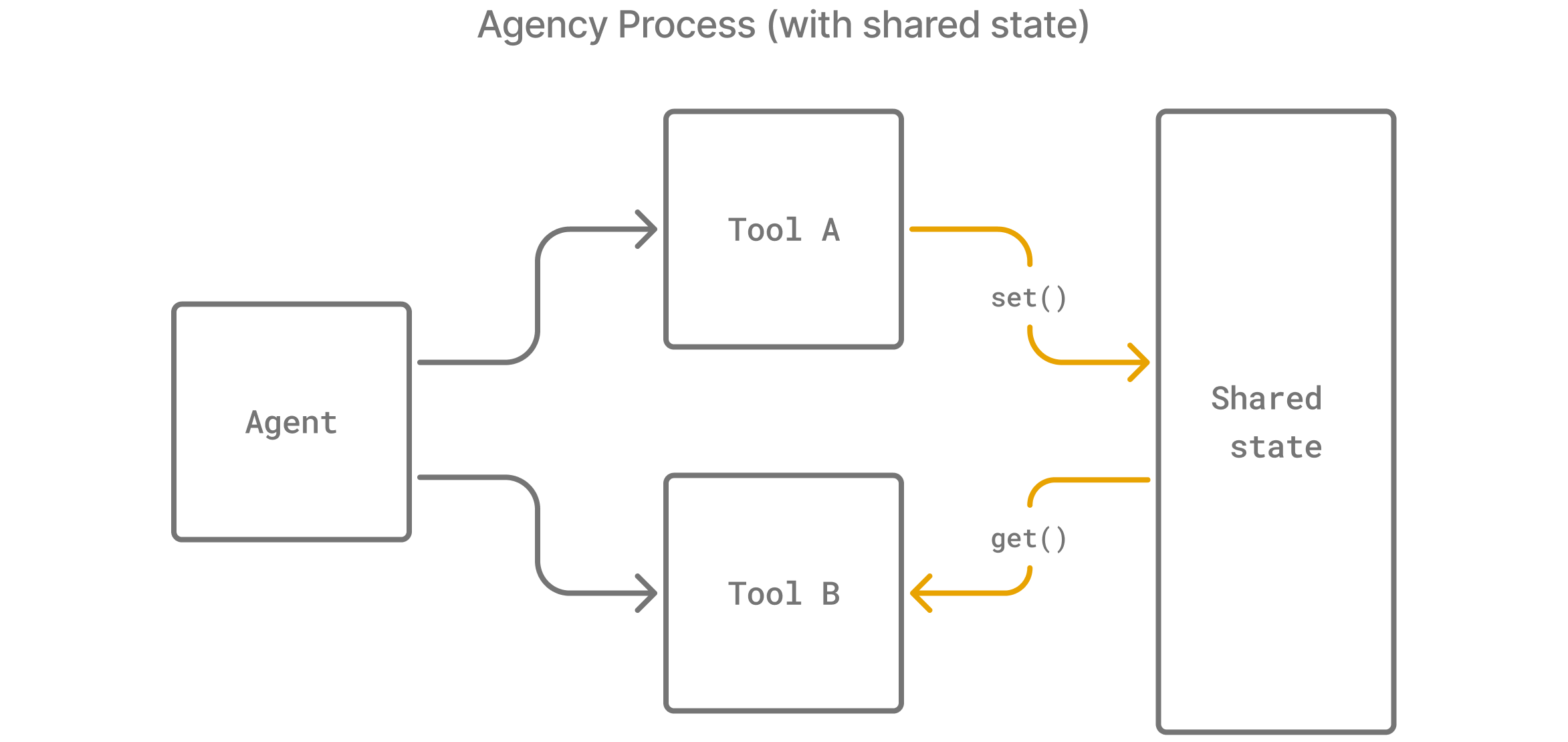
- With Agency Context:
Tool Acan store the required data in the agency context, andTool Bcan retrieve it without needing direct parameter passing. This approach reduces complexity, saves tokens, and enables additional workflows.
Using Agency Context
The agency context is accessible in both FunctionTools and BaseTools using.get and .set, which let you access and modify the MasterContext passed during execution.
Below is an example of how it can be used across tools.
In this example, calling the Query Database tool stores database context, which is later retrieved by the Answer Question tool.
- BaseTool
- Function Tool
For BaseTools, access the agency context using
self.context.Advanced Agency Context Patterns
Complex Data Structures
Agency context can store any Python object, making it useful for complex workflows:Workflow Coordination
Use agency context to coordinate multi-step workflows:Session Management
Keep session state outside the agency and pass it into each run:Best Practices
Use Descriptive Keys
Use clear, descriptive keys to avoid conflicts between different agents and workflows:Provide Default Values
Always provide sensible defaults when retrieving data:Clean Up Unneeded Data
For long-running sessions, clean up temporary data before carrying the context into the next run:Migrating tools
If you’re migrating from Agency Swarm v0.x, and want to use new FunctionTool instead of BaseTool, here’s how you can do that: BaseTool Pattern:Example: Complete Workflow
For a full example showing agency context in action, see the Agency Context Workflow Example which demonstrates:- Multi-step data collection and analysis
- Cross-agent data sharing
- Session management
- Workflow coordination
- Context monitoring and debugging