

Key Principles of Building Effective Tools
Here are the key principles for building effective tools:Standalone
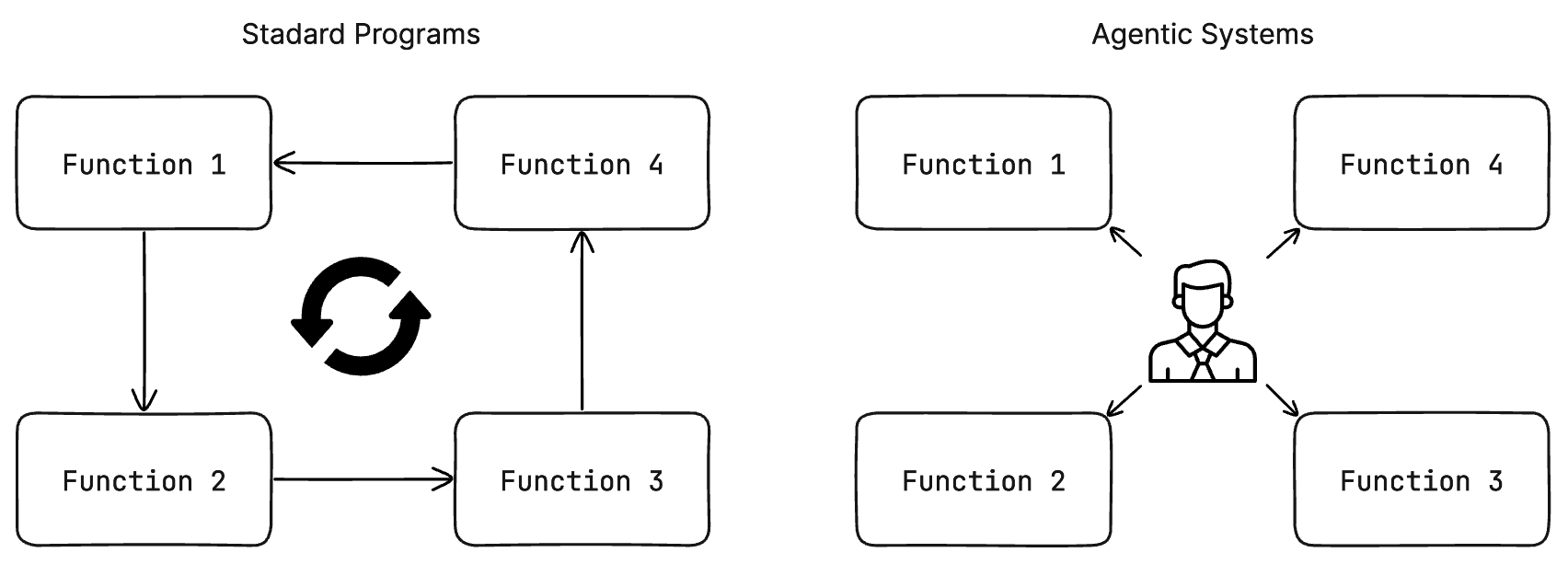
Tools should run independently with minimal dependencies on other tools or agents. Any agent should be able to use any tool without extra re-prompting.
Configurable
Tools should expose adjustable parameters. The agent should be able to tune modes, thresholds, timeouts, limits, etc to better fit the environment or the task at hand.
Composable
Outputs of one tool should match the inputs of another tool. They should allow the agent to compose them into workflows autonomously, instead of pre-defined sequences.
What are Tools?
At a high level, tools represent the capabilities that your agents have. Tools enable your agents to perform specific tasks necessary to fulfill their designated roles. For instance, just as a real virtual assistant can search the web or send emails, the virtual assistant agent can be equipped with similar tools. Below are some more examples of tools:- FileWriter: A tool that allows an agent to write code or text to a file.
- CommandExecutor: A tool that allows an agent to execute terminal commands.
- LeadUpdater: A tool that allows an agent to update a lead in a CRM.
- LinkedInProfileScraper: A tool that allows an agent to scrape a LinkedIn profile.
- FacebookAdCreator: A tool that allows an agent to create a Facebook ad.
Built-in Tools
Agency Swarm ships with several ready-to-use tools:- IPythonInterpreter - Execute Python code in an isolated environment
- PersistentShellTool - Run shell commands with persistent state
- LoadFileAttachment - Load and process local files (images, PDFs)
3 Ways to Build Tools
When it comes to building your own tools, you have 3 primary options:Custom Tools
Build your own completely custom tools from scratch. (Recommended)
OpenAPI Schemas
Use public OpenAPI schemas and convert them into tools.
MCP Integration
Connect to MCP servers for advanced capabilities.